Painting in Krita with AI: brushes, shapes and fills
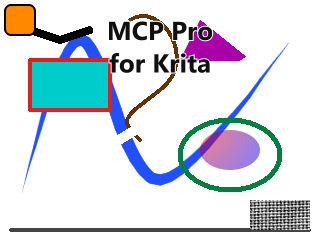
MCP Pro for Krita does not generate images. The AI paints the way a script would drive Krita: real brush presets, real strokes on real layers, so the result behaves like anything you painted yourself. This guide shows the painting tools and a working pattern for using them.
What painting means here
The model picks coordinates, colours, presets and pressure; Krita renders the strokes. That is good for layouts, flat colour, shapes, line work, gradients, backgrounds, UI elements, diagrams, title cards and block-ins you refine by hand. It will not replace a painter's hand on a detailed illustration, and it does not try to.
Brush presets and settings
list_resources(type="preset", filter="Ink")lists brush presets;get_resource_previewshows the preset's thumbnail to the model.set_brush_presetpicks a preset by (partial) name;set_brush_settingssets size, opacity, flow, blending mode, rotation or eraser.- Every painting tool also takes
preset,size,colorandopacityfor one call only. Your brush, colours and opacity are restored afterwards, so the AI does not mess up your own setup.
Strokes and pressure
paint_stroke(points=[[20, 200], [80, 40], [160, 180], [300, 30]],
             preset="b) Basic-5 Size", size=14, pressure="taper",
             color="#2050ff", layer="Ink")
pressure is a number, a list per point, or a curve: taper (thin-thick-thin), taper_in, taper_out, pen, constant. Points can also carry their own pressure: [[30, 30, 0.2], [60, 40, 1.0], [90, 30, 0.2]]. Pressure-sensitive presets respond like a tablet. smooth=true draws a smooth curve through the points; eraser=true erases.
Lines, shapes and paths
draw_linewithpressure_startandpressure_endfor tapered lines.draw_rectangle,draw_ellipse,draw_polygon:strokeandfillchoose foreground, background or none;colorandfill_coloroverride.draw_path(d="M 130 20 C 160 0 200 60 160 90 S 120 120 140 140")follows an SVG path with the brush, which is the easiest way to get clean curves from a model.
Fills and selections
fill_bucket(x, y, color, tolerance, sample="merged")fills the connected region, sampling the current layer or the merged image (so you can fill under line art on a separate layer).fill_gradient(x1, y1, x2, y2, colors=[...], shape="radial"): linear, radial, conical or bilinear; colours with alpha, explicit stops, or a Krita gradient by name. It is limited to the selection.- Selections (
select_rect,select_ellipse,select_polygon,select_by_color,select_layer_alpha,modify_selection) restrict fills, filters and gradients;fill_selectionfills with a colour or a pattern.
Text and vector shapes
add_text creates editable Krita text (font, size, bold, italic, alignment, line height, outline). measure_text returns the width and height first, so the model can fit a title before placing it. add_vector_shapes adds editable SVG shapes to a vector layer.
Filters and adjustments
apply_filter runs any Krita filter by id with a config (see list_filters and get_filter_config); adjust_hsv, blur_layer, sharpen_layer and adjust_levels are shortcuts. For non-destructive work, create_layer(type="filter") and add_mask(type="filter") create filter layers and masks you can still change by hand.
The look-and-fix loop
The tools return what they did (bounds, layers), but the reliable check is the picture. A prompt pattern that works:
Every call is one undo step, so "that stroke is wrong, undo it and try a softer preset" is cheap.
Get MCP Pro for Krita
$15 once on itch.io, free updates.