Clean up Krita layers and batch-export sprite sheets and PNGs
Half of game-art work in a painting program is bookkeeping: layers called Paint Layer 37, empty groups, hidden leftovers, and the same export dialog fifty times. That is the part an AI does well, and MCP Pro for Krita has tools for each step.
See what is there
list_layersreturns the stack (top first) with ids, paths such asHero/Body/Lineart, types, visibility and opacity.find_layerssearches by name or regex, type, visibility, colour label,empty=trueordefault_named=true.get_layer_previewshows one layer on its own, so the model can tell what a badly named layer contains.
Layers can be addressed by id, by Group/Sub/Layer path or by name.
Clean up in one call
recipe_clean_layers(dry_run=True)   # report what would change
recipe_clean_layers()               # do it; one undo step
The recipe deletes empty layers and groups, renames default-named layers after their content (colour, kind and position, for example red shape top-left), trims whitespace and de-duplicates names. unwrap_single_child_groups=true also removes groups that hold a single layer, and case="snake" or "title" normalises the names.
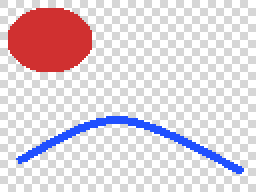
Batch rename and organise
batch_rename_layersrenames many layers at once with a template ("L{index:02d}_{name}"), find and replace, prefix, suffix or case. Usedry_run=trueto preview.group_layers,ungroup,move_layerandset_layer_properties(layers=[...])restructure the stack and set opacity, blending, locks or colour labels on many layers at once.show_onlysolos layers for a quick look;merge_downandflatten_layerbake groups or masks.
Check before export
validate_document(profile="game_sprite", require_power_of_two=True)It reports empty layers and groups, default names, hidden or 0%-opacity layers, content outside the canvas, duplicate names (which collide in per-layer exports), and colour-space, resolution and size checks for the profile (general, game_sprite, print, web).
Per-layer and per-group PNGs
export_layers(directory="D:/game/parts", scope="groups",
              name_template="{index:02d}_{name}", trim=True)
scope is top, groups, leaves or all, or pass layers=[...]. Each layer or group is rendered on its own (groups composited). With trim, each file is cropped to its content and the result lists the offsets, which is what you need to reassemble parts in an engine.
Sprite sheets with JSON
If each animation is a group of frame layers, one call exports them all:
recipe_group_sprite_sheets(directory="D:/game/sprites", gif=True, scale=4)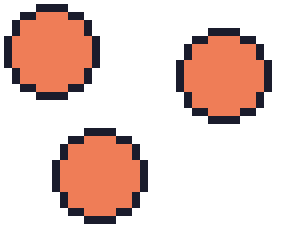
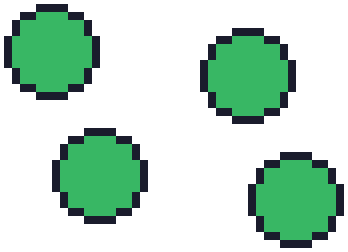
idle.png and run.png from the live test, each with a JSON of frame rects and durations and a GIF. Frames are trimmed to a common box, so they stay aligned.For a single sheet, export_sprite_sheet takes frames from the timeline (source="frames"), from layers (source="layers", bottom first) or from groups, with columns, padding, spacing, trim and an integer upscale. The JSON is in the Aseprite/Phaser "hash" style.
Icon sizes, GIFs, other formats
export_multiple_sizes(path_template="D:/icons/app_{size}.png", sizes=[16, 32, 64, 128])for icon sets.export_gifwrites an animated GIF from the timeline or from layers, with exact colours for pixel art and no ffmpeg.export_imageandsave_document_aspick the format from the extension: PNG, JPEG, WebP, TIFF, PSD, ORA, KRA and the rest of what Krita writes.
Undo
Every modifying command, including a whole clean-up recipe, is one step in the MCP undo journal: undo reverts it exactly, redo replays it. get_history lists the steps. The journal is separate from Krita's Ctrl+Z, so ask the AI to undo rather than pressing Ctrl+Z in between.
Get MCP Pro for Krita
$15 once on itch.io, free updates.