Let your AI work in Krita
MCP Pro for Krita connects Claude Code, Cursor and other MCP clients to Krita, the free painting program. The AI paints with Krita's own brushes, draws pixel art, sorts and cleans up layer stacks, builds animations and exports sprite sheets, and looks at the canvas after each step. 148 tools, one undo step per command.
Buy once, free updates. Verified on Krita 5.3.5 and 6.0.5, Windows 11.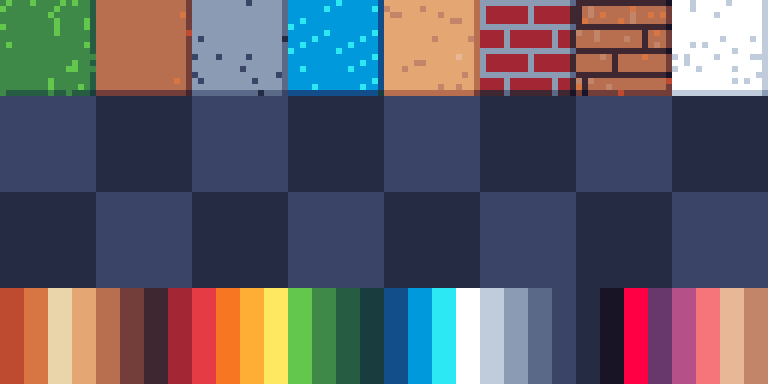
recipe_pixel_tileset output: starter tiles (grass, dirt, stone, water, sand, brick, wood, snow) snapped to Endesga 32, a checker cell grid, the palette row. Unretouched.How it works
Two parts: a Python MCP server that your AI client starts, and a regular Krita Python plugin that runs each command on Krita's GUI thread with Krita's own scripting API.
MCP client  --stdio-->  krita-mcp (Python MCP server, proprietary)
                              |
                              |  HTTP JSON on 127.0.0.1:60081, per-session token
                              v
       Krita plugin "MCP Pro for Krita Bridge" (Python, GPL-3.0-or-later)
       -> every command runs on Krita's GUI thread
       -> Krita's Python API + Qt for pixel work, MCP undo journal, audit log
The plugin opens a localhost-only HTTP bridge inside Krita with a per-session token; commands run in the open document, so you watch the canvas change and can keep painting by hand. Every command is logged. Krita can stay minimized. The plugin works on Krita 5.3 (PyQt5) and 6.0 (PyQt6) from the same files.
What the AI can do in Krita
Grouped by area. Tool names are the ones your AI client sees.
Sees its own work
Canvas, region, animation-frame, layer and brush/gradient/pattern previews come back to the model as images. Small pixel art is upscaled with hard edges.
get_canvas_preview get_layer_preview get_resource_previewPainting
Real Krita brush strokes with any preset, size, opacity and pressure curve (taper, pen, per-point); lines, rectangles, ellipses, polygons and SVG paths; bucket, selection and gradient fills; editable text and vector shapes.
paint_stroke draw_path draw_ellipse fill_bucket fill_gradient add_text add_vector_shapesPixel art
Sprites from text rows with a palette legend (and back with get_pixels), exact pixels, hard-edged lines, rectangles and ellipses, 1-px outlines, mirror symmetry.
set_pixel_rows get_pixels put_pixels draw_pixel_line pixel_outline mirror_pixelsColour and palettes
Foreground and background colours, colour picker, built-in pixel palettes (PICO-8, Sweetie 16, Endesga 32, Game Boy), extract, save as .gpl, hue-shifted colour ramps, palette remap with ordered dither, colour spaces.
generate_color_ramp extract_palette apply_palette replace_color convert_color_spaceLayers
Paint, group, vector, fill, filter, clone and file layers; masks; blending, opacity, clipping, locks, colour labels; move, merge, flatten, group, solo; find and batch rename.
create_layer add_mask set_layer_properties group_layers find_layers batch_rename_layersSelections
Rectangle, ellipse and polygon selections, magic wand, layer alpha, grow, shrink, feather and border; clear, copy to a new layer, crop to selection.
select_rect select_by_color select_layer_alpha modify_selection selection_to_layerFilters and adjustments
Any Krita filter by id with its config, plus shortcuts for HSV, blur, sharpen and levels. Non-destructive filter layers and filter masks too.
apply_filter get_filter_config adjust_hsv blur_layer adjust_levelsCanvas, transforms and view
Resize, crop, trim, scale, rotate, flip and shear the image or one layer, offset with wrap-around for seamless tiles, align, guides, zoom and rotate the view.
resize_canvas trim_canvas scale_layer offset_layer align_layer set_guides set_viewExport
Any Krita format, one file per layer or group (trimmed, offsets reported), sprite sheets with JSON, icon size sets, animation frames, animated GIF without ffmpeg.
export_image export_layers export_sprite_sheet export_multiple_sizes export_gifAnimation
Frame rate and range, keyframes, turn a layer stack into frames, import image sequences, onion skins.
set_animation_settings add_keyframe frames_from_layers import_frames set_onion_skinDocuments, templates, checks
Create, open, save, duplicate and close; metadata and resolution; 8 templates (pixel sprite, sprite animation, tileset, A4 illustration, comic page, game icon, 1080p concept, social square); lint before export.
create_document create_from_template validate_document save_document_asBrushes and resources
List and preview presets, gradients and patterns; pick a preset and set size, opacity, flow, rotation and blending; add reference images.
list_resources set_brush_preset set_brush_settings set_gradient add_reference_imageRecipes
Pixel tileset, layer-stack clean-up, group sprite sheets and character turnarounds in one call each.
recipe_pixel_tileset recipe_clean_layers recipe_group_sprite_sheets recipe_turnaroundUndo, history and safety
One MCP undo step per command, history, any Krita action by id (dialog and quit actions blocked), optional execute_python, audit log.
undo redo get_history trigger_action execute_python get_audit_logOne-call recipes
Common jobs in a single tool call, each one undo step. The pictures are the real output from the live test run on Krita 6.0.5.
A pixel-art tileset, ready to paint
Tile-grid guides, a locked checker Cells layer, a Tiles group (Base, Details, Shading in multiply), a palette swatch row, the pixel brush, and a row of procedurally generated starter tiles snapped to the palette.
recipe_pixel_tileset(tile_size=16, columns=8, rows=3,
                     palette="endesga32")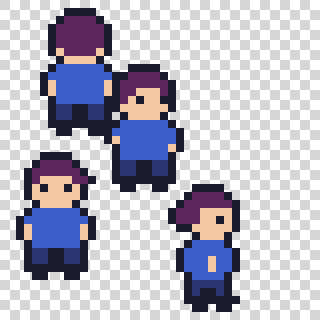

A character turnaround from pose layers
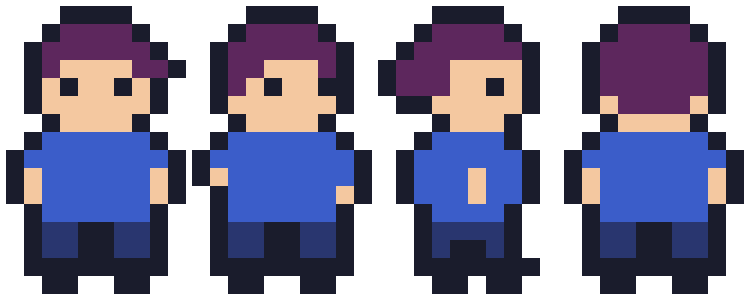
Front, three-quarter, side and back drawn on separate layers become one animated layer: aligned on a common baseline, one keyframe per view, fps set, plus a GIF and a sprite sheet.
recipe_turnaround(layers=["front", "three_quarter",
                  "side", "back"], fps=4, align="bottom",
                  export_dir="D:/game/hero", gif_scale=6)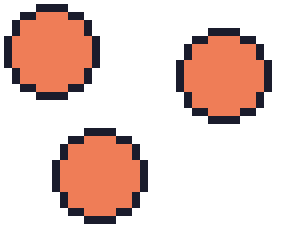
Every group becomes a sprite sheet
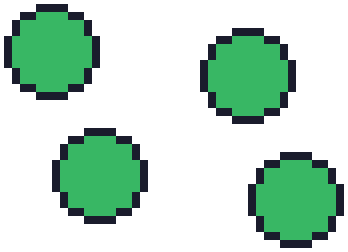
Groups such as idle and run are exported as their own sprite sheet PNG with frame-rect JSON (and a GIF if you ask); frames are the group's layers, trimmed to a common box so they stay aligned.
recipe_group_sprite_sheets(directory="D:/game/sprites",
                           gif=True, scale=4, padding=2)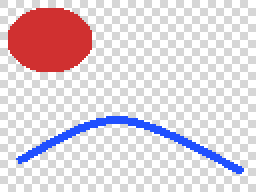
Clean up a messy layer stack
Deletes empty layers and groups, renames default-named layers after their content, trims and de-duplicates names. dry_run reports first; the whole clean-up is one undo step. In the test, Paint Layer 1 became red shape top-left, three empty layers and an empty group were removed.
recipe_clean_layers(dry_run=True)   # report
recipe_clean_layers()               # apply, one undo step
Guides: pixel art and tilesets · layer clean-up and batch export · animation frames and turnarounds
Straight from the tools
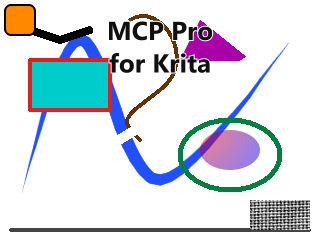
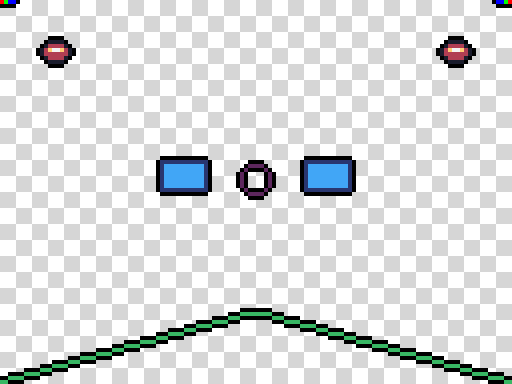
Unretouched previews and exports from the live test suite (Krita 6.0.5, Windows 11). Each caption says which tools made it.
Demo
Screen recordings of the AI working in Krita.
Modes and tool caps
Some clients cap or slow down with 100+ tools. Pick a mode when you register the server; --no-execute-arbitrary removes execute_python from any of them.
| Mode | Tools | For |
|---|---|---|
minimal | 42 | create, paint, pixel art, preview, export, recipes, undo; the smallest context |
lite | 94 | everyday work; stays under the ~100-tool cap of some clients |
default | 147 | everything except the plugin-development tool |
full | 148 | everything, plus reload_bridge |
Details: lite mode and tool caps.
Supported clients
Any MCP client that can start a local stdio server. Configs for the first three are in the setup guide.
claude mcp add krita -- <path>/.venv/Scripts/krita-mcp.exe~/.cursor/mcp.json or a project .cursor/mcp.jsonclaude_desktop_config.json--mode lite for tool caps.Install outline
About ten minutes. Full instructions ship in the download (INSTALL.md); the setup guide walks through every step.
Install the MCP server (Python 3.10+)
python -m venv .venv
.venv\Scripts\pip install .
macOS / Linux: python3 -m venv .venv and .venv/bin/pip install .
Install the Krita plugin and restart Krita
In Krita: Tools > Scripts > Import Python Plugin from File... with krita_mcp_bridge-v1.0.0.zip, then tick MCP Pro for Krita Bridge in the Python Plugin Manager. Or, with Krita closed:
powershell -ExecutionPolicy Bypass -File scripts\install_plugin.ps1Register the server with your AI client
claude mcp add krita -- C:/tools/mcp-pro-for-krita/.venv/Scripts/krita-mcp.exeStart Krita and ask
Try "Call krita_connect, then make a 16 px pixel-art tileset with the Endesga 32 palette and show me."
Requirements: Krita 5.3.x or 6.0.x (verified on 5.3.5 and 6.0.5, Windows 11; macOS and Linux untested) and Python 3.10 or later for the server.
What to expect in 1.0.0
- Verified live on Krita 5.3.5 and 6.0.5 on Windows 11: every tool called, pixel-level checks, undo/redo round-trips for 27 modifying tools. macOS and Linux have install scripts but are untested.
- Krita must be running with the plugin enabled; tools default to the active document and layer.
- Pixel tools need 8-bit RGBA layers (convert_color_space fixes that); brush, filter and transform tools work in any colour space.
- MCP undo is separate from Krita's Ctrl+Z. Pressure-varying strokes appear as several entries in Krita's own history (MCP undo still reverts them as one).
- Keyframe tools briefly show the Timeline docker if it is hidden. Reference images can be added but not listed or removed (no Krita API). New palettes appear in Krita's Palette docker after a restart.
- Text uses Krita's SVG text; font fallback depends on the fonts installed on your system.
- All later updates are free for buyers.
FAQ
What is MCP Pro for Krita?
Does the AI generate images, or does it paint in Krita?
Which Krita versions and operating systems are supported?
Which AI clients work?
Can the AI see what it painted?
Can I undo what the AI did?
Is it good for pixel art?
Is it safe to run?
What is the licence? Is it open source?
Krita is free. Why is this paid?
How much is it, and is there a subscription?
Guides
Step-by-step articles. All guides
- MCP server with 148 tools in 14 areas
- Four modes: minimal 42, lite 94, default 147, full 148
- Krita plugin for Krita 5.3 and 6.0 (GPL-3.0-or-later, full source)
- Recipes: tilesets, layer clean-up, sprite sheets, turnarounds
- Install scripts, setup instructions and example prompts
- Free updates; licence terms are in the download
More MCP Pro tools
Same idea, other apps. Paint sprites and tiles in Krita or Aseprite, build maps in Tiled, put it all together in Godot.